graph LR
    A["Original weights<br/>(fp16 / fp32)"] --> B["Quantize"]
    B --> C["Compressed weights<br/>(int4 / int8)"]
    C --> D["Dequantize<br/>(at inference)"]
    D --> E["Approximate fp16<br/>for computation"]

    style A fill:#6cc3d5,stroke:#333,color:#fff
    style B fill:#ffce67,stroke:#333
    style C fill:#56cc9d,stroke:#333,color:#fff
    style D fill:#ffce67,stroke:#333
    style E fill:#6cc3d5,stroke:#333,color:#fff
Quantization Methods for LLMs
A practical comparison of GPTQ, AWQ, GGUF, and bitsandbytes for compressing pretrained language models
Keywords: quantization, LLM compression, GPTQ, AWQ, GGUF, bitsandbytes, QLoRA, NF4, int4, int8, model optimization, inference, small models, transformers
Introduction
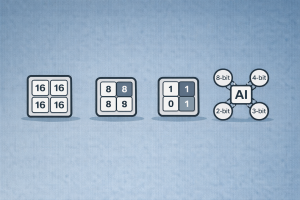
Large Language Models have impressive capabilities, but their size makes them expensive to run. A 7B-parameter model in fp16 requires ~14 GB of GPU memory just to load — and that’s before any inference overhead. Quantization compresses model weights from high-precision formats (fp32/fp16) to lower-precision representations (int8, int4, or even lower), dramatically reducing memory usage and often speeding up inference.
This article compares the four most widely used quantization methods in the Hugging Face ecosystem: GPTQ, AWQ, GGUF (llama.cpp), and bitsandbytes. All examples use small models (125M–1.1B parameters) that can be reproduced on consumer hardware.
For guides on deploying and serving quantized models, see Deploying and Serving LLM with Llama.cpp (GGUF format) and Deploying and Serving LLM with vLLM (AWQ/GPTQ support). To fine-tune a quantized model, see Fine-tuning an LLM with Unsloth and Serving with Ollama.
Why Quantize?
A standard fp16 model uses 2 bytes per parameter. Quantization reduces this:
| Precision | Bytes/Param | 1B Model | 7B Model |
|---|---|---|---|
| fp32 | 4 | 4 GB | 28 GB |
| fp16 / bf16 | 2 | 2 GB | 14 GB |
| int8 | 1 | 1 GB | 7 GB |
| int4 | 0.5 | 0.5 GB | 3.5 GB |
Quantization enables you to:
- Run larger models on smaller GPUs (or even CPUs).
- Reduce inference latency by decreasing memory bandwidth requirements.
- Lower deployment costs — fewer or cheaper GPUs for serving.
- Enable edge/local deployment with tools like Ollama.
The trade-off is a small accuracy loss, but modern methods minimize this to near-zero for 4-bit and above.
How Quantization Works (High Level)
All quantization methods map high-precision floating-point weights to a smaller set of discrete values. The core idea:
The key differences between methods lie in:
- When quantization happens (post-training vs. on-the-fly at load time).
- How weights are grouped and calibrated (with or without calibration data).
- Where inference runs (GPU-only, CPU-only, or hybrid).
- Format of the quantized weights (framework-specific tensors vs. standalone file).
Overview of Methods
graph TD
    Q["Quantization Methods"] --> PTQ["Post-Training<br/>Quantization"]
    Q --> OTF["On-the-Fly<br/>Quantization"]

    PTQ --> GPTQ["GPTQ<br/>• Calibration data required<br/>• int4, GPU-optimized<br/>• Fast inference"]
    PTQ --> AWQ["AWQ<br/>• Activation-aware<br/>• int4, GPU-optimized<br/>• Preserves salient weights"]
    PTQ --> GGUF["GGUF<br/>• llama.cpp format<br/>• 2-bit to 8-bit<br/>• CPU + GPU hybrid"]

    OTF --> BNB["bitsandbytes<br/>• Zero-shot, no calibration<br/>• int8 or NF4<br/>• Ideal for fine-tuning"]

    style GPTQ fill:#56cc9d,stroke:#333,color:#fff
    style AWQ fill:#6cc3d5,stroke:#333,color:#fff
    style GGUF fill:#ffce67,stroke:#333
    style BNB fill:#78c2ad,stroke:#333,color:#fff
    style PTQ fill:#f8f9fa,stroke:#333
    style OTF fill:#f8f9fa,stroke:#333
1. GPTQ — Post-Training Quantization with Calibration
GPTQ (Frantar et al., 2022) is a one-shot weight quantization method. It quantizes each row of the weight matrix independently, using a small calibration dataset to minimize the quantization error layer by layer.
graph LR
    A["Pretrained model<br/>(fp16)"] --> B["Calibration dataset<br/>(~128 samples)"]
    B --> C["Layer-by-layer<br/>weight quantization"]
    C --> D["Quantized model<br/>(int4)"]
    D --> E["Fast GPU inference<br/>(ExLlama / Marlin kernels)"]

    style A fill:#f8f9fa,stroke:#333
    style B fill:#ffce67,stroke:#333
    style C fill:#6cc3d5,stroke:#333,color:#fff
    style D fill:#56cc9d,stroke:#333,color:#fff
    style E fill:#56cc9d,stroke:#333,color:#fff
How it works:
- Feed a small calibration dataset (~128 samples) through the model.
- For each linear layer, find int4 weights that minimize the output error.
- Use Hessian-based optimization (second-order information) for accuracy.
- Save the quantized checkpoint — no calibration needed at inference time.
Quantize a model with GPTQ:
pip install gptqmodel --no-build-isolationfrom transformers import AutoModelForCausalLM, AutoTokenizer, GPTQConfig
model_id = "facebook/opt-125m"
tokenizer = AutoTokenizer.from_pretrained(model_id)
gptq_config = GPTQConfig(
bits=4,
dataset="c4",
tokenizer=tokenizer
)
model = AutoModelForCausalLM.from_pretrained(
model_id,
device_map="auto",
quantization_config=gptq_config
)
# Save the quantized model
model.save_pretrained("opt-125m-gptq-4bit")
tokenizer.save_pretrained("opt-125m-gptq-4bit")Load a pre-quantized GPTQ model:
from transformers import AutoModelForCausalLM, AutoTokenizer

model = AutoModelForCausalLM.from_pretrained(
    "opt-125m-gptq-4bit",
    device_map="auto"
)
Pros:
- Very fast inference with optimized CUDA kernels (ExLlama, Marlin).
- Excellent accuracy for 4-bit — close to fp16.
- Serializable — share quantized checkpoints on the Hub.
- Supports 2, 3, 4, and 8-bit quantization.
Cons:
- Requires a calibration dataset and GPU time to quantize (minutes for small models, hours for 70B+).
- Primarily GPU-only for inference.
- Not suitable for on-the-fly quantization.
2. AWQ — Activation-Aware Weight Quantization
AWQ (Lin et al., 2023) improves on naive weight quantization by observing that not all weights are equally important. It identifies the small fraction of weights that are critical (based on activation magnitudes) and preserves them at higher precision, while aggressively quantizing the rest.
graph TD
    A["Pretrained model<br/>(fp16)"] --> B["Analyze activations<br/>to find salient weights"]
    B --> C["Protect salient channels<br/>(scale before quantization)"]
    C --> D["Quantize all weights<br/>to int4"]
    D --> E["Quantized model<br/>(4-bit AWQ)"]

    style A fill:#f8f9fa,stroke:#333
    style B fill:#ffce67,stroke:#333
    style C fill:#ff7851,stroke:#333,color:#fff
    style D fill:#6cc3d5,stroke:#333,color:#fff
    style E fill:#56cc9d,stroke:#333,color:#fff
Key insight: Only ~1% of weights significantly affect model quality. AWQ scales these salient weight channels before quantization so they suffer less rounding error, without keeping them in a separate high-precision format.
Load a pre-quantized AWQ model:
pip install autoawqfrom transformers import AutoModelForCausalLM, AutoTokenizer
model = AutoModelForCausalLM.from_pretrained(
"TheBloke/Mistral-7B-OpenOrca-AWQ",
device_map="auto"
)
tokenizer = AutoTokenizer.from_pretrained(
"TheBloke/Mistral-7B-OpenOrca-AWQ"
)Enable fused modules for faster inference:
from transformers import AutoModelForCausalLM, AwqConfig

quantization_config = AwqConfig(
    bits=4,
    fuse_max_seq_len=512,
    do_fuse=True,
)
model = AutoModelForCausalLM.from_pretrained(
    "TheBloke/Mistral-7B-OpenOrca-AWQ",
    quantization_config=quantization_config
).to(0)
Pros:
- Better accuracy than GPTQ at the same bit-width in many benchmarks.
- Fast inference with fused modules and ExLlamaV2 kernels.
- No need for a large calibration dataset — uses a small set of activation samples.
- Serializable and widely available on Hugging Face Hub.
Cons:
- 4-bit only (no 8-bit or 2-bit support).
- GPU-only inference.
- Quantization process still requires GPU.
3. GGUF — The Universal Format for CPU + GPU Inference
GGUF (GGML Unified Format) is the file format used by llama.cpp. It stores model weights, metadata, and tokenizer in a single file. GGUF supports a wide range of quantization types from 2-bit to 8-bit, and is designed for efficient inference on CPUs, GPUs, and hybrid setups.
graph LR
    A["Pretrained model<br/>(HF / safetensors)"] --> B["convert-hf-to-gguf.py"]
    B --> C["GGUF file<br/>(single file)"]
    C --> D["llama.cpp"]
    C --> E["Ollama"]
    C --> F["LM Studio"]

    D --> G["CPU inference"]
    D --> H["GPU offloading"]
    D --> I["Hybrid CPU+GPU"]

    style C fill:#ffce67,stroke:#333
    style D fill:#56cc9d,stroke:#333,color:#fff
    style E fill:#56cc9d,stroke:#333,color:#fff
    style F fill:#56cc9d,stroke:#333,color:#fff
Common GGUF quantization types:
| Type | Bits | Description | Use Case |
|---|---|---|---|
| Q2_K | 2 | Extreme compression | When you have very little RAM |
| Q4_0 | 4 | Basic 4-bit | Fast, low quality |
| Q4_K_M | 4 | K-quant, medium quality | Best balance for most users |
| Q5_K_M | 5 | K-quant, medium quality | Higher quality, slightly more RAM |
| Q6_K | 6 | K-quant | Near fp16 quality |
| Q8_0 | 8 | 8-bit | Minimal quality loss |
Load a GGUF model in transformers:
pip install ggufimport torch
from transformers import AutoTokenizer, AutoModelForCausalLM
model_id = "TheBloke/TinyLlama-1.1B-Chat-v1.0-GGUF"
filename = "tinyllama-1.1b-chat-v1.0.Q4_K_M.gguf"
tokenizer = AutoTokenizer.from_pretrained(model_id, gguf_file=filename)
model = AutoModelForCausalLM.from_pretrained(
model_id,
gguf_file=filename,
dtype=torch.float32
)Or use directly with Ollama:
ollama run tinyllamaPros:
- Runs on CPU — no GPU required.
- Wide range of quantization levels (2-bit to 8-bit).
- Single-file format — easy to distribute and deploy.
- Huge ecosystem: llama.cpp, Ollama, LM Studio, GPT4All.
- Supports hybrid CPU+GPU layer offloading.
Cons:
- Slower on GPU than GPTQ/AWQ (optimized kernels are GPU-native for those).
- Quantization types are specific to the GGUF ecosystem.
- Not directly trainable in PyTorch (must convert back to HF format first).
4. bitsandbytes — Zero-Shot Quantization for Training and Inference
bitsandbytes (Dettmers et al., 2022) provides on-the-fly quantization that happens at model load time — no calibration dataset, no pre-processing, no separate quantization step. It supports 8-bit (LLM.int8) and 4-bit (NF4/FP4 via QLoRA) quantization.
graph TD
    A["Load model with<br/>BitsAndBytesConfig"] --> B{"Quantization type?"}
    B -->|"load_in_8bit"| C["LLM.int8()<br/>Mixed-precision decomposition"]
    B -->|"load_in_4bit"| D["QLoRA / NF4<br/>Normal Float 4-bit"]
    C --> E["Inference ready"]
    D --> F["Inference ready"]
    D --> G["Fine-tuning with<br/>LoRA adapters (PEFT)"]

    style A fill:#f8f9fa,stroke:#333
    style C fill:#6cc3d5,stroke:#333,color:#fff
    style D fill:#56cc9d,stroke:#333,color:#fff
    style G fill:#ffce67,stroke:#333
Key features:
- LLM.int8(): Decomposes matrix multiplication to handle outlier features in fp16 and the rest in int8, preserving quality.
- NF4 (Normal Float 4): A 4-bit data type optimized for normally-distributed weights (from the QLoRA paper). Best for fine-tuning.
- Nested quantization: Quantizes the quantization constants themselves, saving an extra ~0.4 bits/parameter.
8-bit quantization:
from transformers import AutoModelForCausalLM, BitsAndBytesConfig

quantization_config = BitsAndBytesConfig(load_in_8bit=True)

model = AutoModelForCausalLM.from_pretrained(
    "facebook/opt-350m",
    device_map="auto",
    quantization_config=quantization_config
)
4-bit NF4 quantization (for fine-tuning with QLoRA):
import torch
from transformers import AutoModelForCausalLM, BitsAndBytesConfig

quantization_config = BitsAndBytesConfig(
    load_in_4bit=True,
    bnb_4bit_quant_type="nf4",
    bnb_4bit_compute_dtype=torch.bfloat16,
    bnb_4bit_use_double_quant=True  # nested quantization
)

model = AutoModelForCausalLM.from_pretrained(
    "facebook/opt-350m",
    device_map="auto",
    quantization_config=quantization_config
)
Pros:
- Zero-shot — no calibration data, no pre-processing. Works on any model with
torch.nn.Linearlayers. - Best for fine-tuning — NF4 + QLoRA is the standard for parameter-efficient fine-tuning.
- Cross-modality — works with text, vision, audio models.
- Supports LoRA adapter merging back to the base model.
- Supports CPU, NVIDIA GPU, Intel XPU, and Intel Gaudi.
Cons:
- Slower inference than GPTQ/AWQ (not using optimized quantized kernels).
- 4-bit models historically had limited serialization support (now improving).
- Higher overhead at load time due to on-the-fly quantization.
Comparison Summary
graph LR
    subgraph speed["Inference Speed"]
        direction TB
        S1["🥇 AWQ (fused)"]
        S2["🥈 GPTQ (ExLlama)"]
        S3["🥉 GGUF (GPU offload)"]
        S4["4th bitsandbytes"]
    end
    subgraph quality["Accuracy Preservation"]
        direction TB
        Q1["🥇 AWQ"]
        Q2["🥈 GPTQ"]
        Q3["🥉 bitsandbytes"]
        Q4["4th GGUF (Q4_K_M)"]
    end
    subgraph ease["Ease of Use"]
        direction TB
        E1["🥇 bitsandbytes"]
        E2["🥈 GGUF"]
        E3["🥉 AWQ"]
        E4["4th GPTQ"]
    end

    style speed fill:#56cc9d,stroke:#333,color:#fff
    style quality fill:#6cc3d5,stroke:#333,color:#fff
    style ease fill:#ffce67,stroke:#333
| Feature | GPTQ | AWQ | GGUF | bitsandbytes |
|---|---|---|---|---|
| Bits supported | 2, 3, 4, 8 | 4 | 2–8 | 4, 8 |
| Calibration needed | Yes | Yes (small) | Yes | No |
| CPU inference | No | No | Yes | Yes (limited) |
| GPU inference | Yes | Yes | Yes (offload) | Yes |
| Fine-tuning support | Limited | Limited | No (convert first) | Excellent (QLoRA) |
| Inference speed | Fast | Fastest | Medium | Slowest |
| Serializable | Yes | Yes | Yes | Improving |
| Ease of use | Medium | Medium | Easy | Easiest |
| Ecosystem | HF Hub | HF Hub | Ollama, LM Studio | HF / PEFT |
When to Use What
graph TD
    Start["What's your goal?"] --> Deploy{"Deploy for<br/>inference?"}
    Start --> Train{"Fine-tune<br/>a model?"}
    Start --> Local{"Run locally<br/>on CPU?"}

    Deploy -->|"GPU available"| GPU{"Need fastest<br/>inference?"}
    GPU -->|"Yes"| AWQ_choice["Use AWQ<br/>(fused modules)"]
    GPU -->|"Good enough"| GPTQ_choice["Use GPTQ<br/>(widely available)"]

    Train --> BNB_choice["Use bitsandbytes<br/>NF4 + QLoRA"]

    Local --> GGUF_choice["Use GGUF<br/>(llama.cpp / Ollama)"]

    style AWQ_choice fill:#6cc3d5,stroke:#333,color:#fff
    style GPTQ_choice fill:#56cc9d,stroke:#333,color:#fff
    style BNB_choice fill:#ffce67,stroke:#333
    style GGUF_choice fill:#78c2ad,stroke:#333,color:#fff
Decision rules:
- Fine-tuning a base model? Use bitsandbytes (NF4 + QLoRA). Zero calibration, trainable out of the box.
- Deploying on GPU for maximum speed? Use AWQ with fused modules, or GPTQ with ExLlama/Marlin kernels.
- Running locally on CPU or edge devices? Use GGUF with llama.cpp or Ollama. Widest hardware support.
- Need a quick experiment without GPU setup? Use bitsandbytes — just add
load_in_4bit=Trueand go. - Deploying behind an API server? GPTQ/AWQ with vLLM, or GGUF with llama.cpp’s built-in server.
Practical Workflow: Quantize → Fine-tune → Deploy
A common production pipeline combines multiple methods:
graph LR
    A["Base model<br/>(fp16)"] --> B["Quantize with<br/>bitsandbytes NF4"]
    B --> C["Fine-tune with<br/>QLoRA (PEFT)"]
    C --> D["Merge LoRA<br/>adapters"]
    D --> E["Quantize with<br/>GPTQ or AWQ"]
    E --> F["Deploy with<br/>vLLM / TGI"]

    D --> G["Convert to GGUF"]
    G --> H["Deploy with<br/>Ollama / llama.cpp"]

    style B fill:#78c2ad,stroke:#333,color:#fff
    style C fill:#ffce67,stroke:#333
    style E fill:#6cc3d5,stroke:#333,color:#fff
    style F fill:#56cc9d,stroke:#333,color:#fff
    style G fill:#ffce67,stroke:#333
    style H fill:#56cc9d,stroke:#333,color:#fff
- Train with bitsandbytes NF4 + QLoRA (memory-efficient).
- Merge the LoRA adapters into the base model.
- Quantize the merged model with GPTQ/AWQ (for GPU serving) or convert to GGUF (for CPU/local serving).
- Deploy via vLLM, llama.cpp server, or Ollama.
Full Working Example: Compare Memory Usage
import torch
from transformers import AutoModelForCausalLM, AutoTokenizer
from transformers import BitsAndBytesConfig, GPTQConfig

model_id = "facebook/opt-125m"
tokenizer = AutoTokenizer.from_pretrained(model_id)
prompt = "Quantization is a technique that"
inputs = tokenizer(prompt, return_tensors="pt")

# --- fp16 baseline ---
model_fp16 = AutoModelForCausalLM.from_pretrained(
    model_id, torch_dtype=torch.float16, device_map="auto"
)
print(f"fp16 memory: {model_fp16.get_memory_footprint() / 1e6:.1f} MB")
output = model_fp16.generate(**inputs.to(model_fp16.device), max_new_tokens=30)
print("fp16 output:", tokenizer.decode(output[0], skip_special_tokens=True))

# --- bitsandbytes 8-bit ---
bnb_8bit_config = BitsAndBytesConfig(load_in_8bit=True)
model_8bit = AutoModelForCausalLM.from_pretrained(
    model_id, device_map="auto", quantization_config=bnb_8bit_config
)
print(f"\nint8 memory: {model_8bit.get_memory_footprint() / 1e6:.1f} MB")
output = model_8bit.generate(**inputs.to(model_8bit.device), max_new_tokens=30)
print("int8 output:", tokenizer.decode(output[0], skip_special_tokens=True))

# --- bitsandbytes 4-bit NF4 ---
bnb_4bit_config = BitsAndBytesConfig(
    load_in_4bit=True,
    bnb_4bit_quant_type="nf4",
    bnb_4bit_compute_dtype=torch.bfloat16
)
model_4bit = AutoModelForCausalLM.from_pretrained(
    model_id, device_map="auto", quantization_config=bnb_4bit_config
)
print(f"\nNF4 memory:  {model_4bit.get_memory_footprint() / 1e6:.1f} MB")
output = model_4bit.generate(**inputs.to(model_4bit.device), max_new_tokens=30)
print("NF4 output:", tokenizer.decode(output[0], skip_special_tokens=True))
Conclusion
Quantization is essential for making LLMs practical. Each method fills a different niche:
- bitsandbytes is the simplest path — load any model in 4-bit or 8-bit with one config line, and it’s the go-to for QLoRA fine-tuning.
- GPTQ and AWQ deliver the fastest GPU inference with minimal accuracy loss, making them ideal for production serving.
- GGUF is the universal format for local and edge deployment — runs on CPU, integrates with Ollama and llama.cpp, and supports the widest range of quantization levels.
For small models (125M–3B), quantization is especially impactful: it can shrink a model from 6 GB to under 2 GB while maintaining nearly identical output quality, making it feasible to run on laptops, Raspberry Pis, and free-tier cloud instances.
References
- Frantar et al., GPTQ: Accurate Post-Training Quantization for Generative Pre-trained Transformers, ICLR 2023.
- Lin et al., AWQ: Activation-aware Weight Quantization for LLM Compression and Acceleration, MLSys 2024.
- Dettmers et al., LLM.int8(): 8-bit Matrix Multiplication for Transformers at Scale, NeurIPS 2022.
- Dettmers et al., QLoRA: Efficient Finetuning of Quantized Language Models, NeurIPS 2023.
- Hugging Face, Quantization Overview.
- Hugging Face, Overview of natively supported quantization schemes.
- llama.cpp, GGUF Specification.
Read More
- Try quantization hands-on with the bitsandbytes notebook or GPTQ notebook.
- Quantize your fine-tuned model to GGUF for local deployment.
- Deploy a quantized model behind an API with llama.cpp or vLLM.
- Explore newer methods: AQLM (1-2 bit), HQQ (half-quadratic quantization), and BitNet (1-bit).